Instant WHOIS
Lookup for 200+ TLDs
Check availability, monitor expiry dates, and view full registration details on any site you visit, in one click.

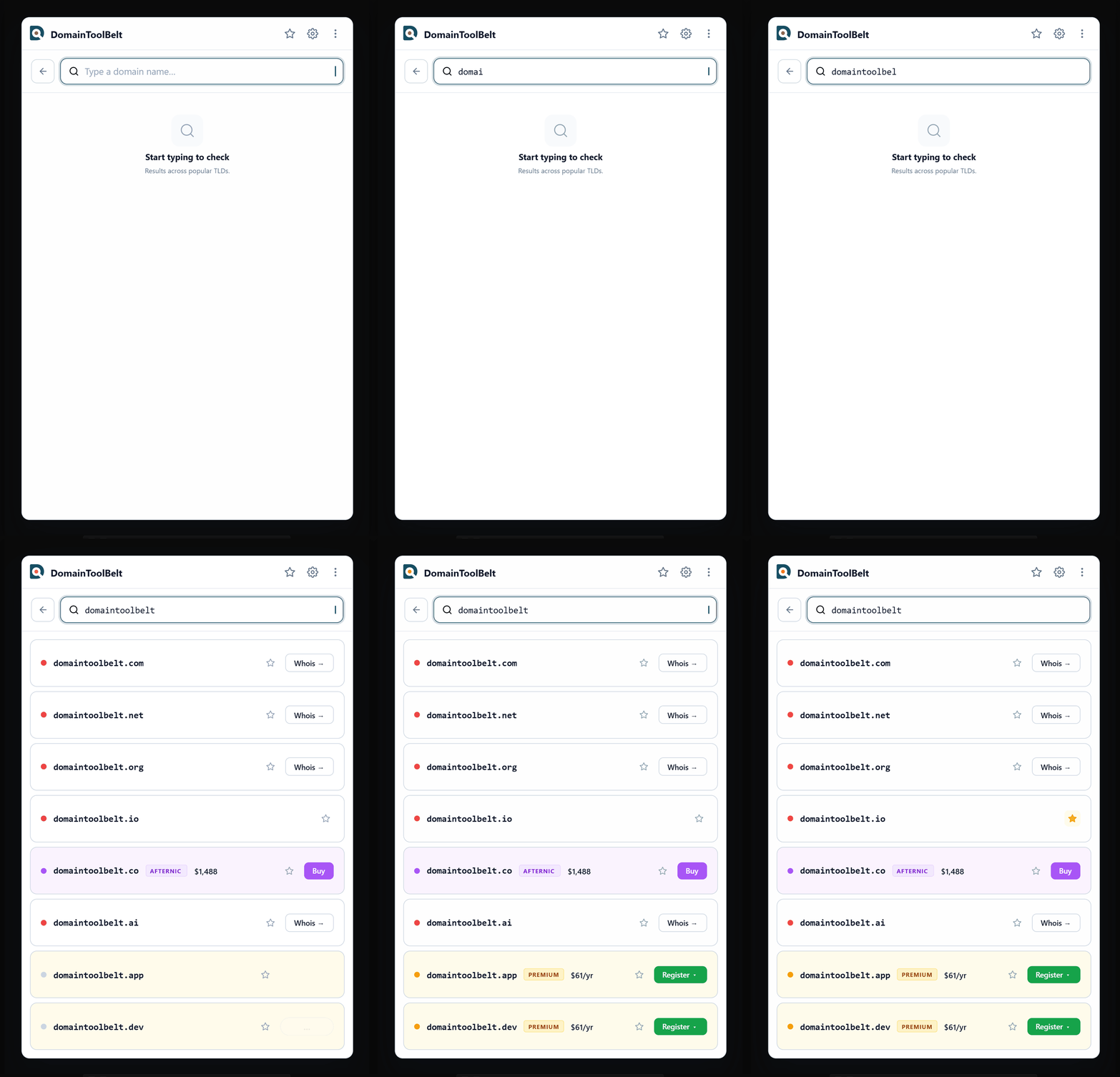
Walkthrough
See it in action
A 30-second tour of WHOIS lookup, availability checks, and expiry monitoring.
Why an extension
A WHOIS lookup shouldn't cost you a tab
You see a domain, you wonder about it, and thirty seconds later you're on some lookup site clearing a CAPTCHA. The check takes longer than the curiosity deserved.
Without it
- Open a new tab and hunt for a WHOIS site
- Retype the domain you were already looking at
- Clear a CAPTCHA, then hit a lookup limit
- Copy the answer back to where you started
With DomainToolBelt
- Press Alt+Shift+D anywhere, on any page
- Type the name, the box is already focused
- Read availability, expiry, and nameservers
- Close it. You never left the page.
Features
The whole record, one popup
Instant WHOIS lookup
Registrar, registration date, expiry, and status codes. The full record, in under a second.
LOOKUP200+ TLDs
Every major extension plus a long tail of ccTLDs, read straight from the registry.
COVERAGEAvailability at a glance
See whether a name is free to register, then test the same word across other TLDs in one click.
AVAILABILITYExpiry warnings
Names approaching their expiration date get flagged, so you know which ones to keep an eye on.
ALERTSNameservers and DNS
The full nameserver set and domain status codes, without opening a dig window.
DNSNothing leaves your machine
Favorites and history use your browser’s own storage. No account, no analytics, no trackers.
PRIVACYGetting started
Up and running in seconds
Install
Add the extension from Chrome Web Store or Firefox Add-ons. No account needed.
Click
Open the extension from your toolbar or press Alt+Shift+D anywhere on any page.
Search
Type any domain name and get instant WHOIS data with registration details, expiry dates, and more.
Coverage
200+ supported TLDs
FAQ
Frequently asked questions
Is it free?
Yes, completely. There is no paid tier, no trial timer, and no cap on how many lookups you run. You do not need a DomainToolBelt account to use it.
What TLDs are supported?
Over 200 TLDs, including .com, .net, .org, .io, .ai, .dev, .app, .co, and a long tail of country-code extensions. If a TLD publishes registration data, the extension reads it.
Do I need an account?
No. Install it and start searching. Favorites and history live in your browser, not on our servers, so there is nothing to sign up for.
Is my data private and secure?
Your favorites, search history, and preferences are stored locally on your device through the browser’s own storage API. We do not collect browsing history or personal data, and the extension ships no third-party trackers.
Does it work on Firefox?
Yes. The Chrome extension and the Firefox add-on ship the same feature set and are updated together.
How do I open it without reaching for the mouse?
Press Alt+Shift+D on any page. The popup opens with the search box already focused, so you can type a domain straight away.
Where does the domain data come from?
Lookups go to the registry’s own RDAP service where one exists, and fall back to the registry’s WHOIS service otherwise. You are reading the authoritative record, not a cached copy of it.
Can it tell me whether a domain is available to register?
Yes. Availability is reported alongside the WHOIS result, and quick TLD buttons let you test the same name across other extensions without retyping it.
What does the expiry warning mean?
When a domain is close to its expiration date, the result is flagged so you can spot it at a glance. An expiry date is not a promise that a name will drop, but it tells you when to start watching.
Beyond the extension
The rest of the toolbelt
The extension answers "what's the story on this domain?" The site picks it up from there.
The next domain you wonder about
Answer it in one click instead of one tab. Free, no account, and 500+ installs ahead of you.