Hello, Affixes
Two features for the same workflow loop: stop typing every variant by hand, and stop opening the popup just to check a name you already see on screen.
You think of a name, type it in, and it's taken. So you try a prefix. Then a different TLD. Then you tweak the spelling. After a dozen searches you've half-forgotten what you were even checking. v1.2.0 fixes that loop.
What's new
Affixes
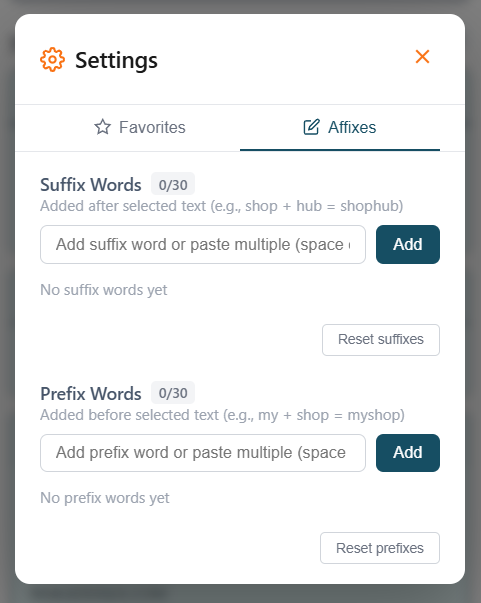
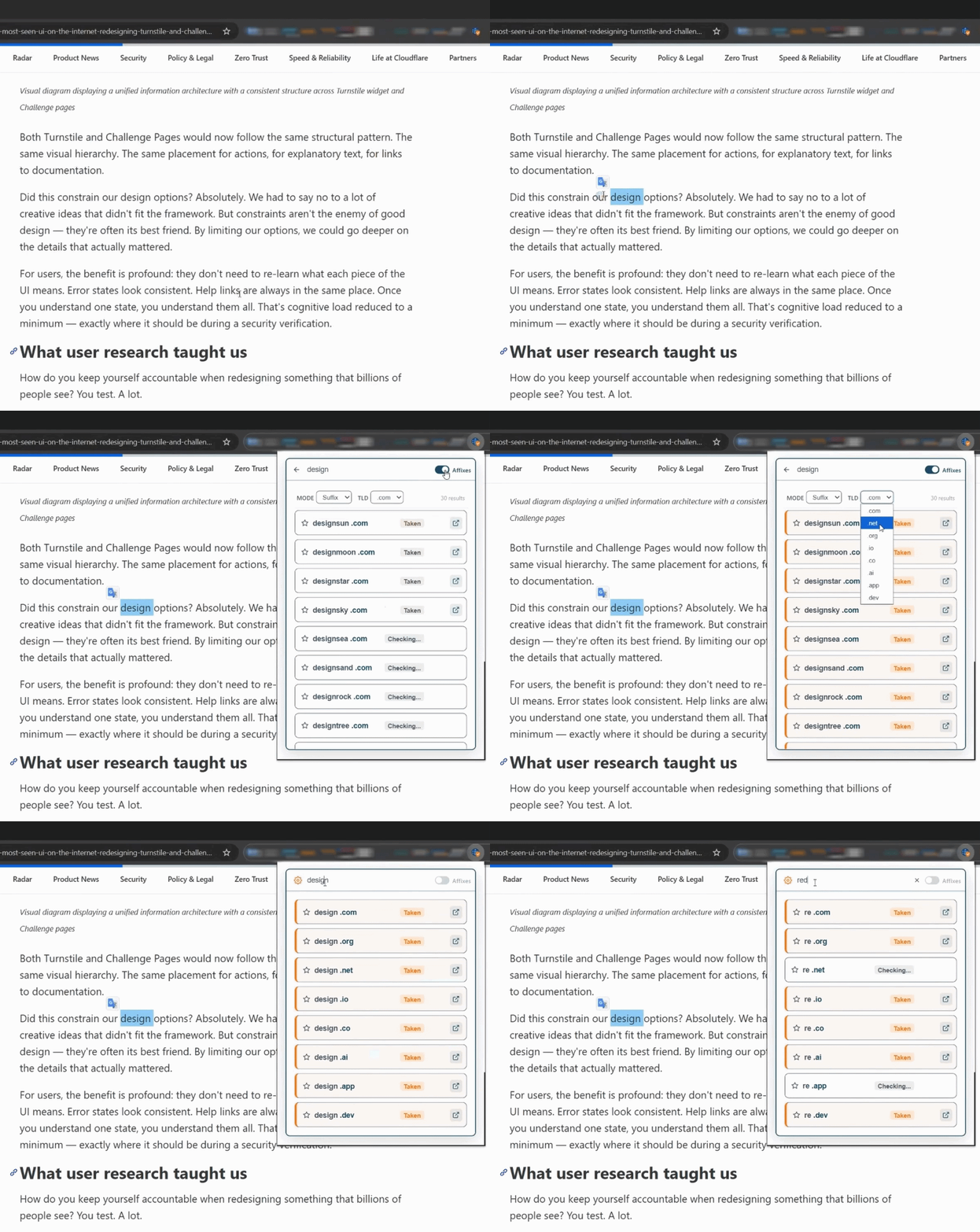
When a domain is taken, Affixes builds variants from common prefixes and suffixes and checks availability for each one. No extra typing, no extra tabs.
Search startup and you'll see live availability for getstartup.com, trystartup.io, startupapp.dev, mystartup.ai, and dozens more in the same view.
How to use Affixes
- 1Search for any domain in the extension
- 2Toggle the Affixes button next to the search bar
- 3Browse the variants. Available ones are highlighted in green.
It also works from any WHOIS result page. Click the Affixes icon next to a taken domain and it spins up alternatives based on that domain's keyword.
Quick Search
Spot a brand name in an article you want to look up? With Quick Search on, highlight any text on any page and a DomainToolBelt icon appears next to your selection. One click runs the WHOIS lookup. No popup, no copy-paste.
How to enable Quick Search
- 1Open DomainToolBelt and go to Settings
- 2Enable Quick Search
- 3Select text on any page, then click the floating icon to search
Get the update
Both ship in v1.2.0. Update from the Chrome Web Store or Firefox Add-ons.
DomainToolBelt
WHOIS for 200+ TLDs, expiry monitoring, full registration details. One click from your browser.